How do you proofread your own writing?
You read what you meant to write. Every useful method is a way of stopping that.
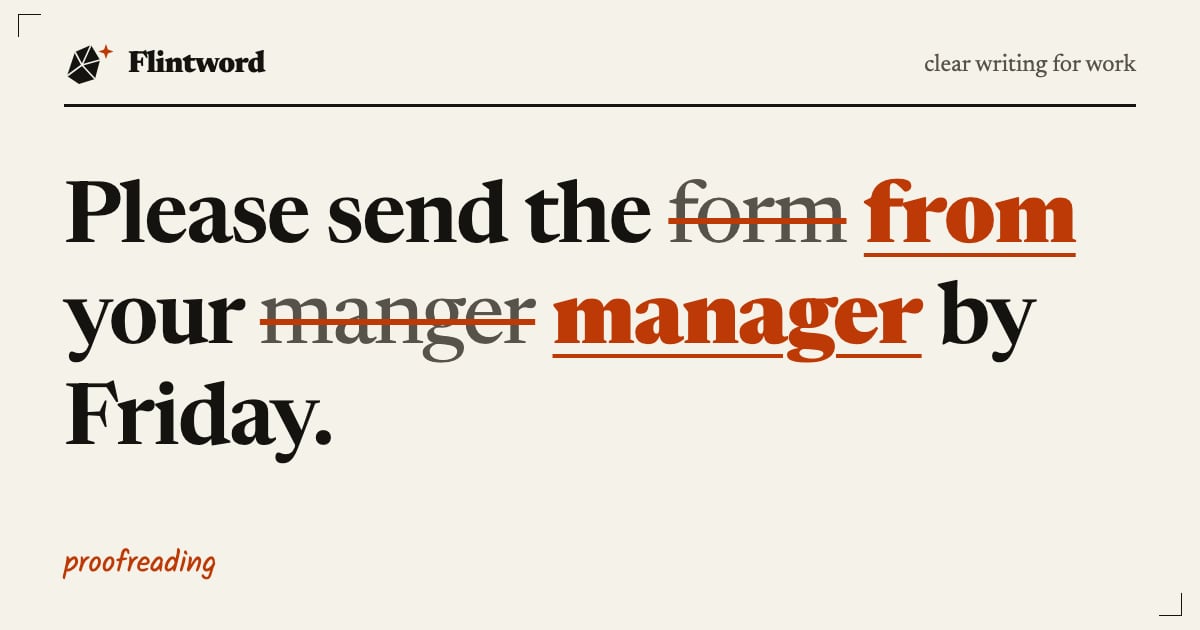
Make the text look unfamiliar, slow yourself down, and check for one kind of error at a time. In practice that means leaving a gap after you finish, printing the document or changing its font, reading it aloud, and going through it several times with a single job for each pass.
Reading it through once more on the same screen, straight after writing it, finds very little. The rest of this piece explains why, and sets out a routine you can shrink to fit the time you have.
Why your own mistakes hide from you
Newcastle University’s guide puts it well: you are so close to your writing that you often see what you think it says, and your brain can correct errors and fill gaps without you noticing. The University of Birmingham makes the same point. It is easy to read what you expect to read.
So the aim of proofreading your own work is distance. You are trying to meet the page as a stranger would. Time gives the most distance, and Newcastle suggests a day or two between the final draft and the proofread if you can manage it. At work you often cannot. Even lunch, or a different task for an hour, is better than nothing.
Edit first, then proofread
These are separate jobs. Oxford Brookes describes editing as the larger-scale work on structure and argument, and proofreading as the smaller-scale work of correcting spelling, punctuation, grammar and references.
The order matters because editing creates errors. Move a paragraph and you may leave behind a stray ‘as mentioned above’. Cut a sentence and a pronoun may lose the noun it referred to. If you polish the commas first, you will be polishing some that you later delete. Settle the content, including any work on plain wording, and only then start checking.
One pass, one job
Trying to look for everything at once means looking properly for nothing. Brookes recommends a checklist so that you focus on one thing at a time. Here is an order that suits most work documents. Skip what does not apply.
- Facts and figures. Names, job titles, dates, days of the week, sums, totals and prices. Add up every column yourself.
- Things that point elsewhere. Table numbers, section references, ‘see below’, attachments mentioned in the text, links.
- Sentences. Missing words, doubled words, verbs that no longer match their subjects after an edit.
- Punctuation and spelling. Apostrophes, commas around ‘which’ clauses, homophones, British spellings.
- Consistency. The same word for the same thing, one form of each date, one style of heading.
- The big type. Title, headings, subject line, recipient’s name, page numbers. Eyes tend to skip what looks finished.
A personal list helps too. Note the mistakes you make often and search for them directly. If you always type ‘manger’, use Find to check every instance.
Ways to make the page strange
These all come from university study guides, but nothing about them is special to students. Try a couple and keep whichever works for you.
Print it
Newcastle notes that a hard copy shows you the work in a new format. Birmingham suggests making changes on the printout with a pen or pencil.
Change the font
Temporarily switching the typeface makes the document look like someone else’s. Change it back when you finish, and check that the page breaks have recovered.
Use a ruler
Newcastle says professional editors often place a ruler or a sheet of paper under each line, or follow with a finger. It is a simple way to stop your eye sliding ahead.
Read aloud
Speaking stops you skipping words, and your ears may catch what your eyes missed. Birmingham adds a useful signal: if you stumble or run out of breath, the sentence may be too long or the punctuation may need work. That tells you something about the writing as well as the typing.
Let the computer read it
Text-to-speech has no idea what you meant, so it reads out exactly what you wrote. Newcastle points to the Read Aloud feature on the Review tab in Microsoft Word, and notes that this kind of software helps with words that sound alike but are spelt differently, such as ‘sight’ and ‘site’. Follow along on the page, because your ears alone will not catch those.
What spellcheck leaves for you
A spellchecker checks that a word exists. It does not know whether it was the word you wanted. All of these can pass:
| The slip | Why it gets through |
|---|---|
| Please send the | A real word, wrongly placed |
| Ask your | Also a real word, and awkward in a staff email |
| Please | Sounds right when read aloud, so check it by eye |
| Meeting on Tuesday 12 | Correct spelling, wrong date |
Treat suggestions from grammar tools in the same spirit. They are prompts to look again. If one flags a passive sentence, for example, that does not mean the sentence is wrong. You still decide.
If you are marking up on paper
You do not need formal proof marks to check your own work. A clear note to yourself will do. If you work with a designer or printer, though, the marks save a lot of explaining. The Chartered Institute of Editing and Proofreading describes them as a precise language for telling a typesetter what to change, with little clutter. It also says they are used less than they were, but remain a recognised standard. The full set is in BS 5261-2:2005, and the CIEP sells a copy.
The ten-minute version
For a document going out shortly, with no time for any of the above, do this:
- Check the recipient’s name, the date and every figure.
- Read the first and last paragraphs aloud.
- Read every heading, plus the subject line.
- Open any attachment you mention and confirm it is the right version.
That covers the errors that cost the most. For a big report, a tender or anything with legal or financial weight, ask another person to read it, because they do not know what you meant to say. If the stakes justify the fee, a professional proofreader is worth considering. Do check first that the document is really finished. Proofreading comes last for a reason, and a summary rewritten at the last minute needs its own read.